
Shop Now
From Our Blog
-
Weldclass backs Ashton Cattach at the 2026 Bathurst 1000
Weldclass backs Melbourne welder and racer Ashton Cattach in the GR Cup at the 2026 Bathurst 1000. Session times and how to watch on Fox Sports and Kayo. -
FURY MPST Series: How-To Videos
Video guides for Weldclass FURY MPST Series MIG/TIG/Stick Pulse welding machines.


Maintenance Schedule for Downdraft Welding Tables
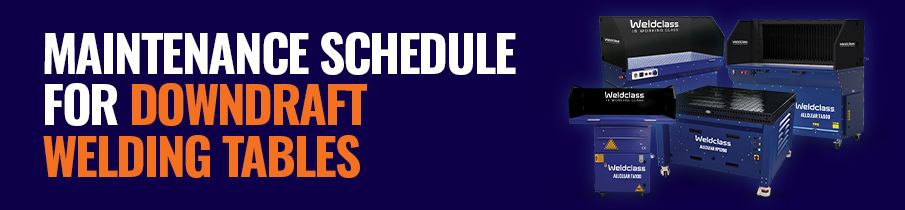
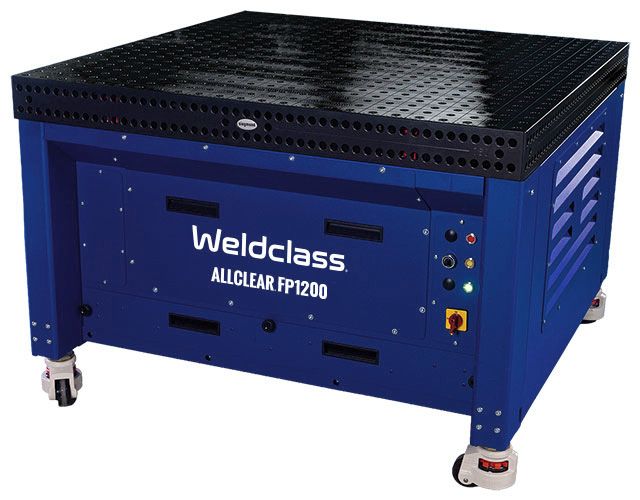
This article outlines a recommended maintenance procedure for Weldclass ALLCLEAR® downdraft fume extraction tables. Although written specifically for the listed Weldclass models, many of these steps outline general best-practice that may be applicable to other brands of downdraft tables / welding fume extractor tables.
Download This Page as PDF ALLCLEAR Fume Extractor Range Get a Quote | Request a Demo
Fume Extractor Models
The information in this article applies to the following Weldclass ALLCLEAR models.
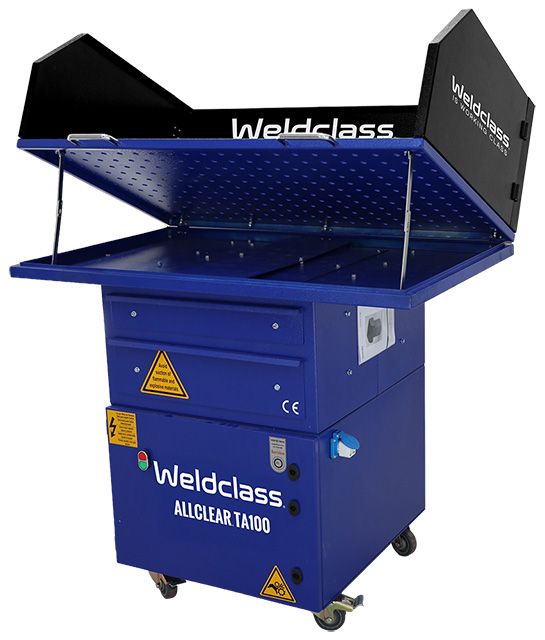
ALLCLEAR® TA100
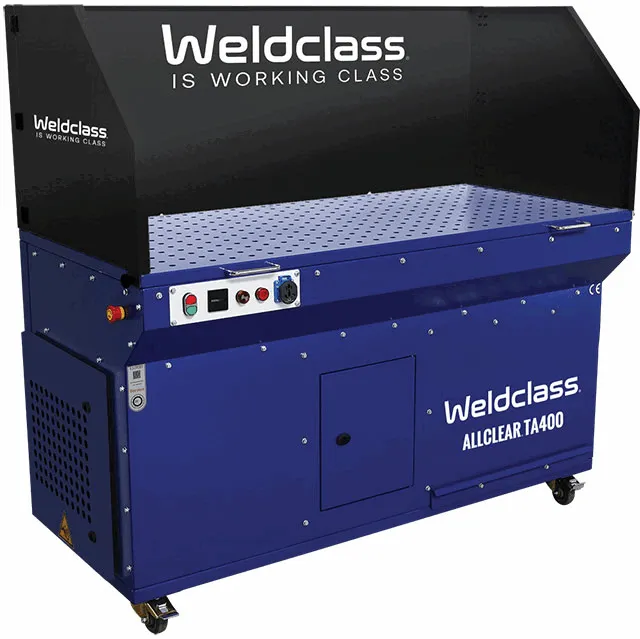
ALLCLEAR® TA400
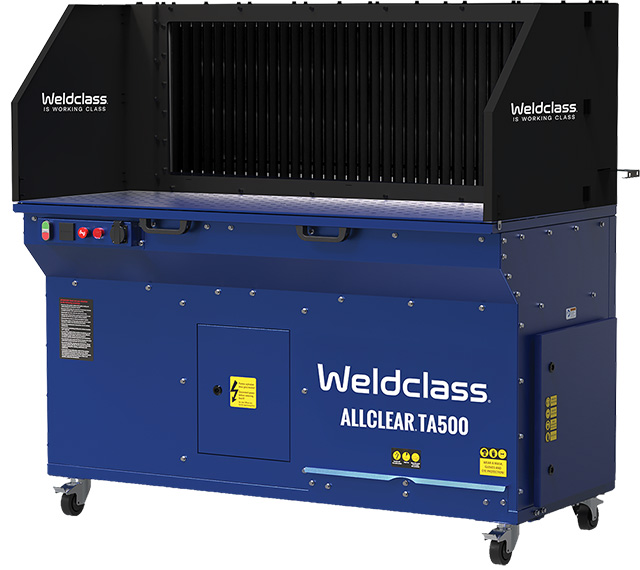
ALLCLEAR® TA500
ALLCLEAR® FP Series
Maintenance Schedule
|
Frequency |
Action / Component |
Details |
|
Daily |
Visual Inspection |
Check for any visible damage or wear. |
| Filter Check | Inspect filter. If visibly clogged, clean and/or replace*. Replace if damaged. Follow processes below. | |
| Function Check | Turn unit on and check for normal operation & airflow at table top, and exhaust outlet. Test emergency stop. Auto clean models only: Test auto clean function is operating by switching unit off (power must be connected & switched on). |
|
| Air Supply (Auto clean models only) |
Ensure compressed air supply is connected, and supply pressure is between 3 & 4 bar. Ensure air hose, air filter, and air compressor are operating correctly and in good condition. | |
| Check Dust Collection Tray Level |
If your unit has a dust collection tray or bin: open tray/bin and empty if filled to >25% of capacity. Follow processes below. |
|
| Weekly | Clean Filter (units with cleanable filter only) |
Clean filter* as per process below. |
| Air Supply (Auto clean models only) |
Check for and rectify any wear or leaks in hoses and connections. Follow air compressor and air filter manufacturer’s recommendations for regular checks and maintenance. Replace air filter cartridge if required. | |
| Power Supply | Check power supply cable and connections for signs of wear or damage. Ensure plugs and connections are secure & tight. | |
| Clean Exterior | Thoroughly clean all external components and surfaces with suitable brush and/or cloth/rag. If optional external carbon filter is intalled, clean with air gun. |
|
| Empty Dust Collection Tray | Empty tray / bin, following process below. | |
|
Annual |
Replace Filter | Replace filter as per process below, if this has not occurred within the last 12 months. |
| Air Supply (Auto clean models only) |
Replace air hose if any signs of wear, cracking, or perishing. Follow air compressor and air filter manufacturer’s recommendations for annual servicing and replacement of parts. | |
| Power Supply | Follow WorkSafe and your employer's guidelines for applicable test and tag of input cable and plug. | |
| Update Records | Ensure maintenance tasks are / have been logged. Review records to ensure compliance with this schedule. |
*TA100 unit has disposable filter only, filters should be replaced when full and are not designed to be cleaned
Inspection, Cleaning, and Replacement Procedure
Follow these guidelines when inspecting, cleaning, or replacing a filter. Also consult and follow the instruction manual for your ALLCLEAR downdraft table.
Safety First: Before You Start
- Always disconnect the unit from mains power supply before starting any filter maintenance
- Conduct maintenance only in well-ventilated environments
- Ensure the unit and cleaning area is well shielded from any wind or strong airflow, so that dust is not disturbed
- Should be conducted by authorised and trained personnel only
- Operators must wear appropriate respiratory protection conforming to AS/NZS 1716 class P2 or P3, hand/body protection, and eye protection
- Ensure that other personnel stand well away from, and do not make contact with the unit, filter, and extracted matter
- When disposing of dust and/or filters, follow local regulations for disposal of contaminated materials.
Filter Inspection
- Follow safety instructions above and all applicable instructions in instruction manual
- Open filter cleaning access door/s or tray/s to inspect filter/s
- Check for signs of filter clogging, damaged filter material, tears and punctures, etc
Filter Cleaning - FP Series
- Follow safety instructions above and all applicable instructions in instruction manual
- Turn unit off and disconnect from power supply
- Open filter access door
- Prepare suitable containment bag, such as heavy-duty disposable non-porous plastic bag
- Open unit, remove filter and place filter in containment bag, avoid any excess movement or agitation of filter whilst place in bag
- Keep filter in containment bag during cleaning, hold mouth of bag closed to minimise escaping dust/debris. Generally it is best to clean filter outdoors to avoid any escaping dust re-entering the workplace.
- Using a suitable compressed air gun, direct the air evenly from the inside of the cartridge filter towards the outside. Do not push the air gun directly into/against the filter, this may damage it.
- Apply the air for 5–10 minutes, covering the whole filter surface as evenly / thoroughly as possible.
- Re-install the filter (refer to instruction manual)
- Reconnect unit to power supply
Filter Cleaning - Auto Cleaning Models (including TA400, TA500)
- Follow safety instructions above and all applicable instructions in instruction manual
- ALLCLEAR auto cleaning units utilise a pulse cleaning system which accumulates then releases a burst of compressed air inside the filter, to push / expel particles out of the filter.
- Auto clean cycle will activate every time the unit is turned off (power supply must remain connected and switched on), or when the unit detects a reduction in airflow, based on pressure differential
- To trigger a clean cycle, turn unit off at control panel (must remain connected to power supply). A mild explosion-like noise will be heard from inside machine as the air pulse is released.
- If suction / airflow at the intake hood is visibly reduced / reducing and/or malfunction alarm continues at frequent intervals, this indicates that the filter needs to be cleaned manually (see process above), or should be replaced.
Filter Replacement - Cleanable Filter Models (including TA400, TA500, FP Series)
- Filter should be replaced if any part of the filter is damaged, if there is a puncture or tear in the filter medium/material, if/when filter becomes clogged and cleaning is no longer effective, if full filter indicator continues to display even after cleaning, if filter has not been replaced in the last 12 months.
- Turn unit off and disconnect from power supply
- Follow safety instructions above and all applicable instructions in instruction manual
- Before replacing the cartridge filter, prepare the appropriate container (such as heavy-duty PE-bag or plastic bag) for disposal.
- Open the main filter access door
- Unscrew filter retaining bolt/s and remove the cartridge holder
- Pass the disposal bag over the filter before removing the filter from inside the compartment
- Seal the mouth of bag with a cable tie or similar, then dispose of the old filter
- Install new filter, and ensure filter is properly seated
- Close and lock the filter access door
- Reconnect unit to power supply
Filter Replacement - Disposable Filter Models (including TA100)
- Filter should be replaced if any part of the filter is damaged, if there is a puncture or tear in the filter medium/material, if/when filter becomes clogged and cleaning is no longer effective, if full filter indicator continues to display even after cleaning, if filter has not been replaced in the last 12 months.
- Follow safety instructions above and all applicable instructions in instruction manual
- Turn unit off and disconnect from power supply
- Before replacing the filter, prepare appropriate containment bag (such as heavy-duty disposable bag) for disposal.
- Open the main filter tray/drawer
- Remove filter and place in containment bag
- Seal the mouth of bag with a cable tie or similar, then dispose of the old filter
- Install new filter, and ensure filter is properly seated
- Close filter tray/drawer
- Reconnect unit to power supply
Emptying Dust Collection Tray or Bin
- Follow safety instructions above and all applicable instructions in instruction manual
- Turn unit off and disconnect from power supply
- Remove dust collection tray or bin
- Empty tray/bin into heavy-duty non-porous disposable bag (such as PE bag) and seal bag permenantly with cable tie or similiar, then dispose of bag
- Re-fit tray or bin to machine
- Reconnect unit to power supply
Spare Parts
Replacement filter and spare parts for ALLCLEAR units
Related Articles
Maintenance Schedule Mobile Welding Fume Extractors
Maintenance Schedule for On-Torch Welding Fume Extractors
Does Your Welding Fume Extractor REALLY Suck
Do mobile welding fume extractors work?
Complete Guide to PAPR Welding Helmets
While all care has been taken to ensure the information presented is accurate, Weldclass accepts no responsibility for any errors or omissions in this article. The information given is of a general nature only and does not take into account the specific circumstances of any individual application or situation, and should not be used as a substitute for professional advice. All applicable safety standards (including Australian standards), industry guidelines and regulations should be consulted and followed. E.&O.E.